Knowledge



↑ Solidot 4-channel high-speed PWM output moduleXB6-PWM4
The Solidot XB6-PWM4 is a slice-type PWM (Pulse width Modulation) output module with a wide range of applications covering numerous industrial intelligent manufacturing fields, such as laser control in the laser industry, LED supplementary lighting systems in machine vision, solenoid valve opening control in hydraulic systems, temperature control in heating systems, and simple speed control of DC brushed motors.
The XB6-PWM4 uses the X-bus Backplane bus and is compatible with the company's XB6 series coupler modules. The module has a total of 4 PWM output channels, 14 digital input channels, and 8 digital output channels. Each PWM channel can adjust frequency and duty cycle completely independently without affecting each other. The combination of inputs and outputs can meet the vast majority of industrial requirements.
1. Configuration Communication
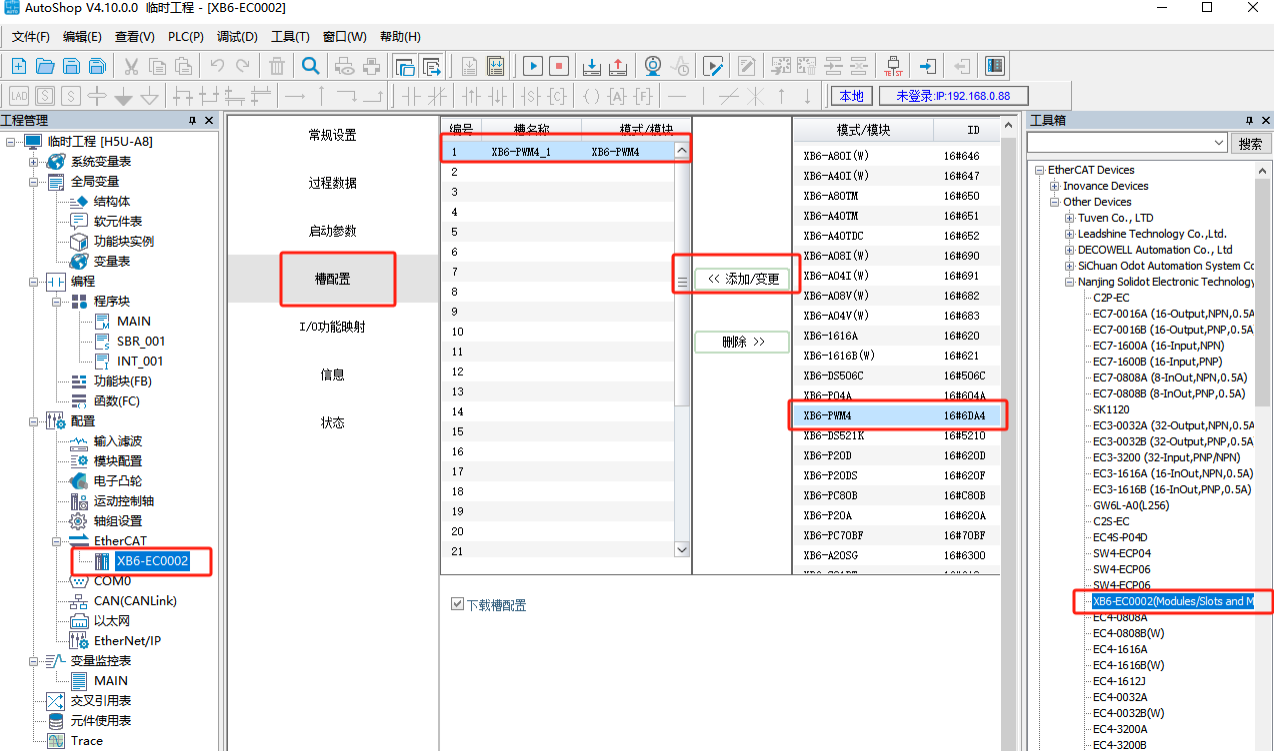
After importing the XML file, restart the software as prompted for the changes to take effect. Then locate "Nanjing Solidot" under "EtherCAT Devices" on the right side, select "XB6-EC0002" to add the coupler. After successful addition, double-click the coupler to open the coupler configuration interface, and add the "XB6-PWM4" model in the "Slot Configuration" field. As shown in the figure below —
2. Operating instructions
1. Pulse output
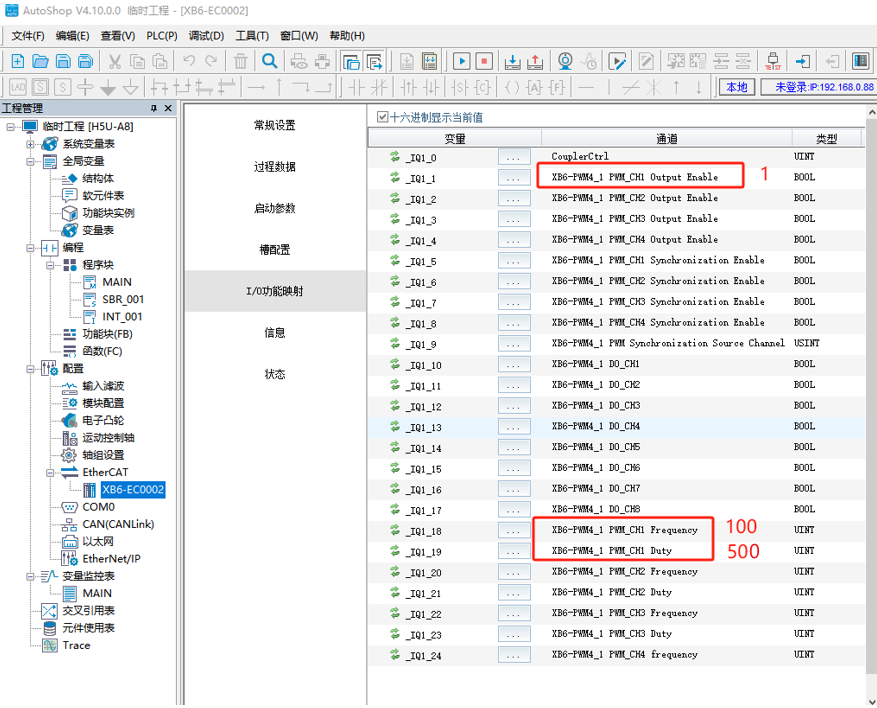
[example] PWM channel 1 output, frequency 100 Hz, duty cycle 50 %
[Specific operation] In the module's I/O Mapping address Downstream data, assign PWM_CH1_frequency a value of 100, and PWM_CH1_Duty a value of 500. After the values are assigned, set the enable bit "PWM1_CH1_Output_Enable" to 1 to start output. During pulse output, the output frequency and duty cycle can be dynamically adjusted. As shown in the figure below —
2. PWM output channel Synchronization
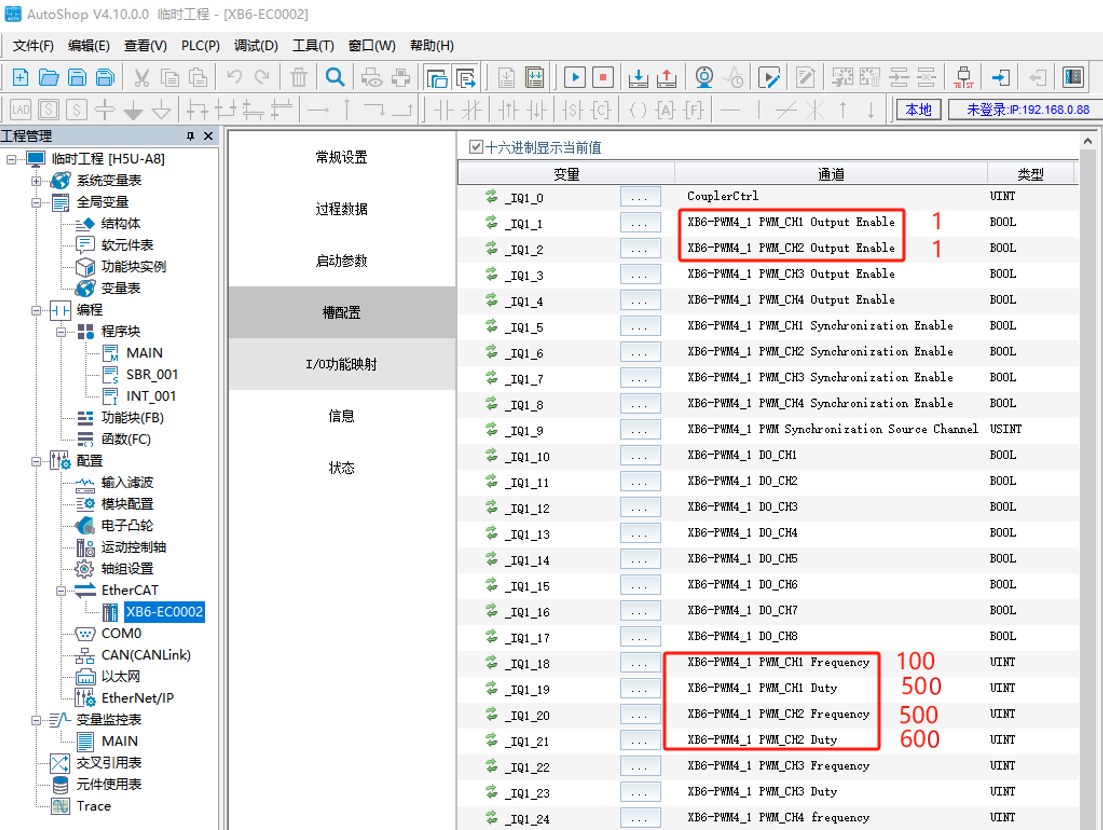
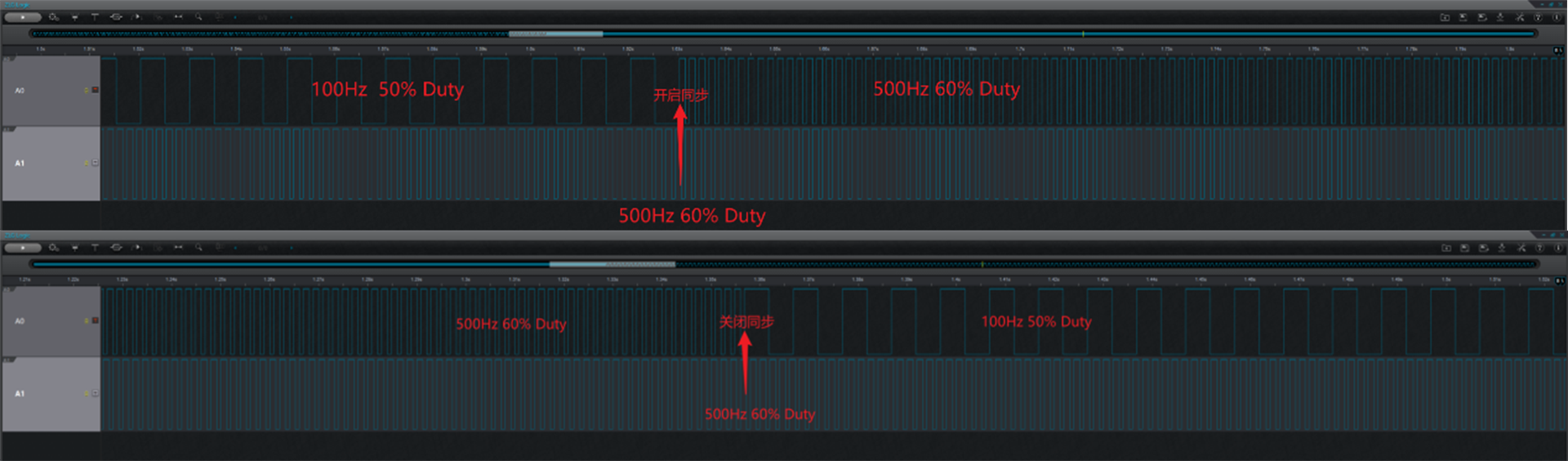
[example] PWM channel 1 output, synchronized with PWM channel 2 output during output. PWM channel 1 output, frequency 100 Hz, duty cycle 50 %; PWM channel 2 output, frequency 500 Hz, duty cycle 60 %.
[Specific operation] PWM channel 1 and channel 2 output normally after being configured as shown in the figure below. As shown in the figure below —
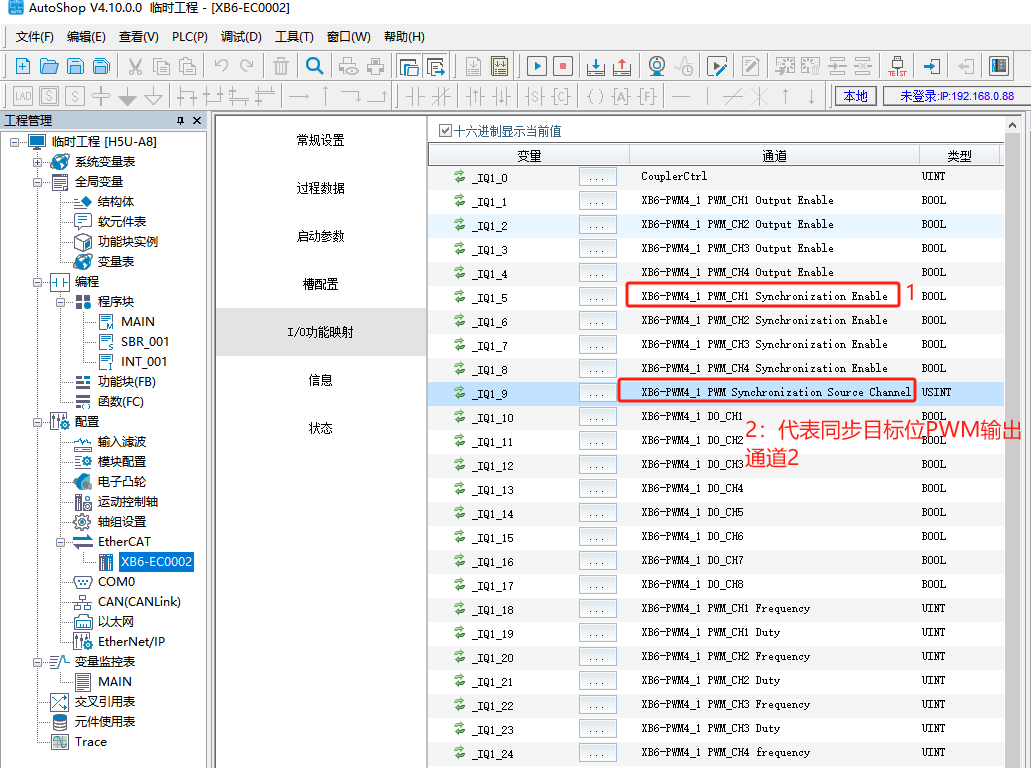
Assign "PWM_Synchronization_Source_Channel" a value of 2 (the synchronization source is channel 2). After the "PWM_CH1_Synchronization_Enable" PWM output channel 1 synchronization enable is set to 1, the pulse frequency and duty cycle output by channel 1 will become the same as those of output channel 2 (frequency 500 Hz, duty cycle 60 %). When the "PWM_CH1_Synchronization_Enable" PWM output channel 1 synchronization enable is set to 0, the pulse output by channel 1 will change to (frequency 100 Hz, duty cycle 50 %). As shown in the figure below —
Schematic of the final result —
The above is the configuration and Operating instructions for the Solidot XB6-PWM4 module in Inovance AutoShop software. If you have any questions, please feel free to contact us. We will be happy to serve you!